
Borderlands 4: Gearbox Details PC Performance Fixes After Launch
Last Updated: October 26, 2025
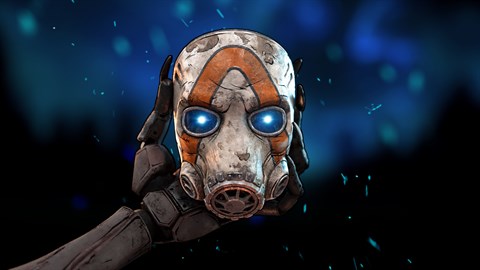
The chaotic, loot-filled world of Borderlands 4 has been in players' hands for several weeks, but for many on PC, the experience has been hampered by persistent and frustrating performance issues. Following its blockbuster launch on September 12, 2025, a significant portion of the PC community has reported severe stuttering and frame drops.
Despite a major stability patch deployed on September 25, the problems remain, prompting developer Gearbox Software to acknowledge the issue and offer some unusual, manual workarounds for players desperate for a smoother trip to Pandora.
Initial Acclaim and Emerging Issues
When Borderlands 4 launched, it was met with widespread acclaim for its expansive new worlds, refined gunplay, and classic cooperative mayhem. However, technical issues on PC quickly became a dominant topic of conversation. Players on high-end rigs, in particular, seemed to be struggling with hitches and stutters that made the game's fast-paced combat nearly unplayable at times.
The September 25 Patch
In response to this feedback, Gearbox rolled out the game's first major post-launch update on September 25. The patch was comprehensive, addressing numerous bugs and stability problems across all platforms. It also delivered a much-requested Field of View (FOV) slider for console players, a feature celebrated by the community. The patch notes detailed specific optimizations intended to smooth out the gameplay experience, and for many, it did just that.
Stuttering Persists
However, the update was not the silver bullet the PC community had hoped for. Forums, social media, and the official Borderlands subreddit are still flooded with reports of stuttering that the patch failed to resolve. The issue appears to be complex, affecting a wide variety of hardware configurations without a clear, identifiable cause.
Gearbox's Response and Manual Workarounds
Acknowledging that the stability patch was not a complete solution, Gearbox has since issued a formal statement on its support channels. The studio confirmed it is actively investigating the root cause of the lingering PC performance problems and is working on a more permanent fix. In the meantime, the developer has taken the unusual step of recommending a series of manual tweaks for affected users.
The primary workaround suggested by Gearbox involves forcing a specific shader compilation process. Players are advised to navigate to the game's local files, delete the existing shader cache folder, and then add a specific launch command through their game client (e.g., Steam or the Epic Games Store). This forces Borderlands 4 to re-compile all shaders upon its next launch—a process that can take several minutes—which has reportedly resolved the stuttering for a number of players.
Additionally, Gearbox noted potential conflicts with certain overlay software and recommended players disable all non-essential background applications. This advice, while common, underscores that the issue may stem from software conflicts outside the game itself.
Community Frustration and the Path Forward
While the community is grateful for the transparent communication, the reliance on manual file deletion and launch commands has left some players frustrated, arguing that a premium title should not require such deep-level tinkering to function correctly. As Gearbox continues its investigation, PC Vault Hunters are left with a choice: wait for the next official patch or dive into their system files in hopes of achieving the smooth, 60+ FPS experience the game's frenetic action demands.