
Borderlands 4 PC Patch: Stability, Optimization & Troubleshooting
Last Updated: October 15, 2025
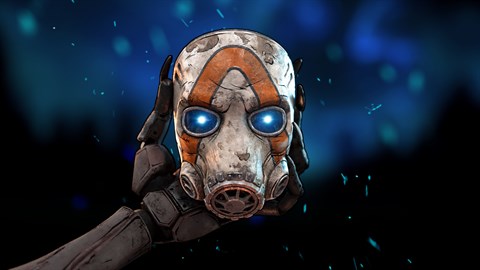
Following a chaotic launch on September 12, 2025, Gearbox Software has released a significant post-launch update for Borderlands 4 on PC. Dropping today, this patch is primarily focused on enhancing game stability and squashing performance bugs reported by the community during the first weeks of play.
While it doesn't add new content, this update is critical for players experiencing crashes, stuttering, and other technical issues. This article breaks down the complete patch notes, provides an essential optimization guide for both NVIDIA and AMD users, and directs you to the best resources for troubleshooting any lingering problems.
Key Patch Highlights & Technical Notes
This update is a direct response to player feedback and telemetry data gathered since launch, targeting a wide spectrum of PC hardware configurations for a smoother, more consistent gameplay experience.
- Core Stability Pass: The patch addresses numerous sources of crashes and instability, particularly during extended gameplay sessions and in graphically intensive combat encounters.
- Performance Optimizations: Fixes have been implemented to reduce stuttering and improve frame rate consistency across several in-game locations.
- Shader Recompilation: Be advised: after applying the update and changing any in-game graphics settings, the game will need to recompile shaders. This process is essential for optimal performance and can take several minutes depending on your system's hardware. It's recommended to let this process complete fully before jumping back into the action.
PC Optimization Guide: Getting the Best Performance
For the best possible experience in the chaotic world of Borderlands 4, Gearbox strongly recommends tailoring your settings and using the latest manufacturer-specific tools.
For NVIDIA GeForce Users:
NVIDIA has published a comprehensive Borderlands 4 Optimization Guide featuring optimal settings charts for its most popular GPUs at 1080p, 1440p, and 4K resolutions. For peak performance, it is crucial to install the latest Game Ready Driver, which was released specifically for the game's launch. This driver can be downloaded via the NVIDIA App or GeForce Experience, which can also be used to automatically apply optimized settings for your specific hardware.
For AMD Radeon Users:
AMD has also provided a detailed Optimization Guide with recommended in-game settings for its current lineup of Radeon graphics cards. This guide will help you strike the perfect balance between visual fidelity and high frame rates based on your specific GPU and target resolution. Ensure you have the latest version of the AMD Software: Adrenalin Edition installed to take full advantage of all performance-enhancing features.
Troubleshooting & Community Support
If you continue to experience technical difficulties after installing the latest patch and updating your drivers, there are several avenues for help.
- Official 2K Support: The most direct way to get assistance is by submitting a ticket through the official 2K Support website. This allows you to report specific issues and receive personalized help from the support team.
- PC Troubleshooting Guide: For self-guided solutions, 2K maintains a detailed PC Troubleshooting Guide that covers a wide range of common problems and step-by-step fixes.
- Community Hubs: Check the official Borderlands 4 Reddit (r/Borderlands4) and Discord channels. These are excellent places to find community-sourced solutions and see if other players are experiencing similar issues.
What's Next for Borderlands 4?
Gearbox Software has made it clear that this stability patch is just one part of an aggressive post-launch support plan. Coming on the heels of last week's major Vault Hunter balance pass, today's focus on technical performance demonstrates a commitment to rapidly responding to player feedback. The development team is actively monitoring all channels and is already working on future updates to further refine and enhance the Borderlands 4 experience.