
How to Turn Off Car Damage in Forza Horizon 6 (2026 Guide)
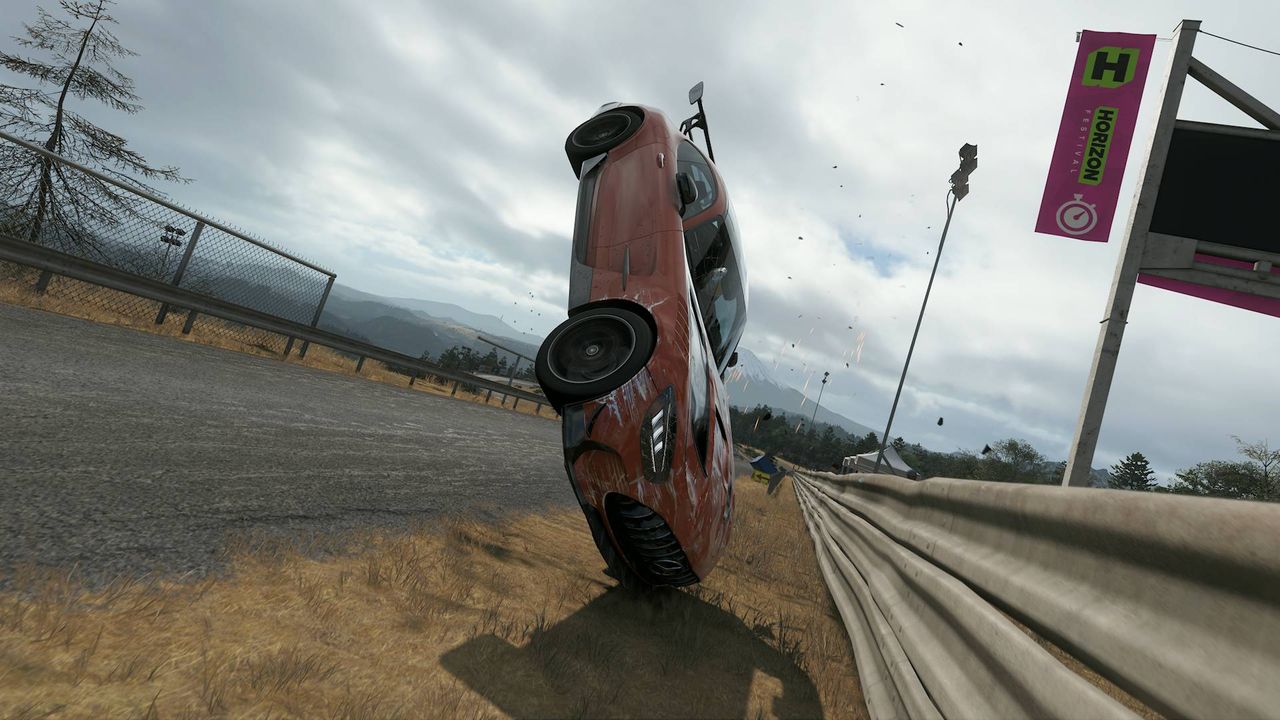
- Game: Forza Horizon 6
- Release Date: 2026-05-19
- Platforms: PC, Xbox Series S/X
- Genre: Racing
Forza Horizon 6, released on May 19, 2026, allows players to customize their driving experience by adjusting various vehicle settings, including the ability to turn off car damage. Whether you are looking to preserve the pristine appearance of your vehicle or avoid mechanical failures during high-speed races, adjusting these settings is a straightforward process within the game's menu. As part of our coverage at In Game News, we have outlined the specific steps required to remove these limitations on your vehicle.
How to Turn Off Car Damage in Forza Horizon 6: Quick Steps
- Open the main Pause menu while in the game.
- Navigate to the Settings tab.
- Select the Difficulty menu.
- Locate the Damage & Tire Wear setting.
- Change the setting to 'None' to disable all forms of damage.
Accessing the Difficulty Settings Menu
To begin modifying your vehicle's durability, you must first access the primary settings interface. Forza Horizon 6, developed by Playground Games and published by Xbox Game Studios, features a user-friendly menu system that separates gameplay parameters from graphical or audio options. On PC, you can access this by pressing the 'Esc' key, while Xbox Series S/X users should press the Menu button on their controller.
Once the menu is open, navigate to the 'Settings' tab. This area serves as the hub for all player-defined configurations, ranging from controller sensitivity to HUD elements. By selecting the 'Difficulty' sub-menu, you gain access to the modifiers that dictate how your car interacts with the environment and other racers. This is where you can manage mechanical and cosmetic damage, ensuring your Forza Horizon experience matches your preferred playstyle.
Configuring Damage and Tire Wear Options
Within the Difficulty menu, you will find a list of parameters that influence the realism of your driving. The setting labeled 'Damage & Tire Wear' is the primary control for vehicle integrity. By default, this may be set to a level that tracks both cosmetic scratches and mechanical degradation. For players who prefer a more arcade-style experience, setting this to 'None' effectively removes the consequences of collisions.
When this setting is disabled, your vehicle will no longer accumulate dents, shattered glass, or paint scratches during collisions with environmental objects or other cars. Furthermore, it prevents mechanical failures that could otherwise impact your speed or handling during a race. This adjustment is particularly useful for players who want to focus on the expansive racing world without worrying about the state of their vehicle.
Understanding the Impact on Gameplay
It is important to note that disabling damage does not change the physics or the performance of your vehicle in terms of speed or grip. Unlike Forza Motorsport, which places a higher emphasis on simulation-grade mechanical failure, the Horizon series prioritizes exploration and accessibility. By removing damage, you are essentially creating a 'no-consequence' mode for your car's exterior.
This setting applies to both single-player events and free-roam exploration. If you find that your car is sustaining damage during intense maneuvers, returning to this menu will allow you to toggle the setting back to 'Cosmetic Only' or 'Simulation' if you decide you want to re-introduce the challenge of vehicle maintenance. Keep in mind that these settings are persistent until you manually change them again.
Managing Your Car List and Vehicle Integrity
As you expand your car list, you may find that certain high-value vehicles look better without the visual wear and tear of racing. Because Forza Horizon 6 offers a wide variety of vehicles, from hypercars to off-roaders, the damage model can vary significantly between models. Disabling damage ensures that every car in your collection maintains its showroom appearance regardless of how aggressively you drive.
For PC players, these settings are saved locally and synced to the cloud, meaning your preferences will remain consistent across different sessions. If you are sharing a PC with other users, ensure that your profile is correctly loaded before adjusting these settings to avoid overriding their preferred difficulty configurations. This level of customization is a hallmark of the series, allowing for a tailored experience that suits both casual cruisers and competitive racers.
Frequently Asked Questions
Is there a way to turn off damage in Forza Horizon 6?
Yes, you can disable mechanical and cosmetic damage by navigating to the Difficulty settings menu and adjusting the Damage & Tire Wear option to 'None'.
How do I disable cosmetic damage in Forza Horizon 6?
Cosmetic damage is automatically disabled when you set the Damage & Tire Wear setting to 'None' within the game's difficulty options.
How to stop car damage in Forza Horizon 6 2026?
To stop car damage, open the Pause menu, go to the Settings tab, select Difficulty, and change the Damage & Tire Wear setting to 'None' to ensure no impact affects your vehicle.
Forza Horizon 6 Official Release Date 2026: Everything You Need to KnowForza Horizon 6
Forza Horizon 6 Guide: Exploring Japan and Using the Journal System (...Forza Horizon 6
Forza Horizon 6 Fastest Cars Guide: Top Speed Rankings for 2026Forza Horizon 6
Forza Horizon 6 Playlist Exclusive Cars: How to Unlock and Collect in...