
Subnautica 2 Base Building Guide 2026: How to Craft and Build
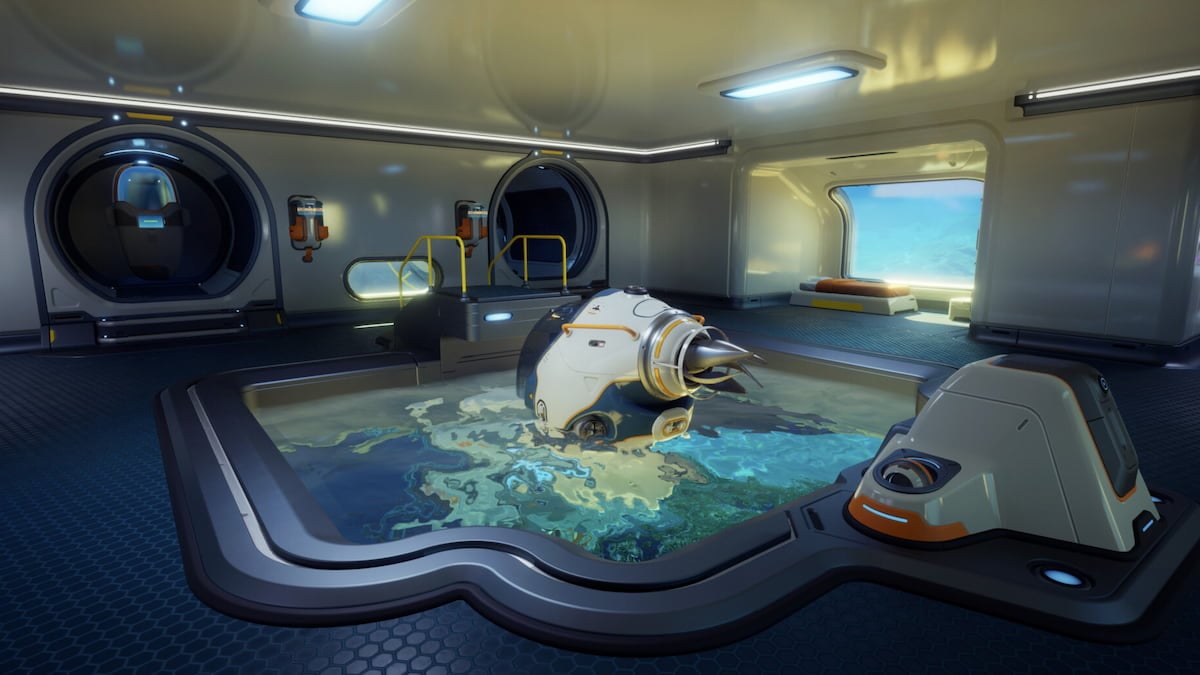
- Game: Subnautica 2
- Genre: Indie, Adventure
- Platform: PC
- Release Year: 2026
Gaming news regarding the long-awaited sequel, Subnautica 2, confirms that base construction remains a core pillar of the experience for players navigating alien oceans. Whether you are a veteran of the original title, which holds an 83 Metacritic score, or a newcomer to the series, understanding how to unlock base building in Subnautica 2 is essential for survival. This guide outlines the exact steps to acquire the necessary tools, locate blueprints, and establish your first habitat on PC.
- Gather materials to craft a Survival Multitool and a Scanner.
- Locate the Welcome Center 80 meters southeast of your Lifepod.
- Power the Welcome Center with a battery to access the NOA tutorial.
- Scan two Habitat Builder tools found at the Welcome Center to unlock the blueprint.
- Craft the Habitat Builder at a Fabricator using the required components.
How to craft the Habitat Builder in Subnautica 2
Before you can construct structures, you must craft the Habitat Builder. This process begins with gathering basic resources. You first need a Survival Multitool, which requires three pieces of titanium, and a Scanner, which requires two titanium, two quartz, and one basic battery. Titanium is found abundantly in the immediate vicinity of your Lifepod, while quartz can be harvested to create glass. Copper, necessary for batteries, is found in nearby caves.
Once you possess the Multitool and Scanner, you must locate two damaged Habitat Builder tools to scan. At In Game News, we have identified these specific locations to assist your progress. The first tool is inside a metal box located directly next to the "Welcome Center" sign outside the facility. The second tool is found inside the building; you must dive into the central floor hole and search the metal storage container positioned next to the Oxygen Tunic.
Where to find base building blueprints in Subnautica 2
Scanning the two Habitat Builder tools mentioned above provides the data required to unlock the item in your Fabricator. After scanning both, the recipe for the Habitat Builder becomes available. To craft it, you will need to combine two titanium, one glass, one basic battery, and one copper wire. Once crafted, this tool serves as your primary interface for placing corridors, doors, and essential utility machines like the Fabricator.
For more details on navigating the game's mechanics, check out our guides section. Understanding the Subnautica franchise history helps clarify why these specific tools are necessary for long-term survival in the 2026 release.
How do you start building a base in Subnautica 2
Once the Habitat Builder is in your inventory, you can initiate construction. The game provides a guided introduction to these mechanics through a NOA entry found within the Welcome Center. This structure is located 80 meters southeast of your starting Lifepod. Upon arrival, you will find the building lacks power. By inserting a basic battery into the wall panel, you activate the Bio Lab and the NOA system, which provides a walkthrough of the construction interface.
With the tool equipped, you can open the build menu to view available structures. This includes modular corridors, entry hatches, and various internal components. The system allows for the placement of production machines, such as the Fabricator, which is vital for crafting advanced gear. Decorative items are also available to customize your living space. Ensure you have sufficient resources, specifically titanium and copper, before attempting to build larger structures to avoid running out of materials mid-construction.
All base building and furniture blueprints in Subnautica 2
The variety of blueprints available in Subnautica 2 ranges from structural components to quality-of-life furniture. Structural blueprints allow for the creation of rooms and corridors that protect you from the environment. Utility blueprints, such as those for the Fabricator, are unlocked automatically or through scanning environmental objects within the Welcome Center and surrounding wreckage.
Furniture blueprints are often found as part of the interior design modules within abandoned facilities. As you explore, prioritize scanning any interactive objects or consoles. This ensures you have the maximum number of options when designing your base. Managing your inventory space is a key aspect of the survival loop, so plan your trips to the Welcome Center and surrounding biomes to minimize backtracking.
Frequently Asked Questions
How do you start building a base in Subnautica 2?
To start building a base, you must first craft a Habitat Builder tool and use it to access the build menu for corridors, rooms, and production machines.
How to unlock base building in Subnautica 2?
You unlock base building by scanning two existing Habitat Builder tools found near the Welcome Center to acquire the blueprint, then crafting the tool at a Fabricator.
Where to find base building blueprints in Subnautica 2?
Base building blueprints are primarily unlocked by scanning two Habitat Builder tools located outside and inside the Welcome Center building, situated 80 meters southeast of your Lifepod.
How to Find Necrolei Cyst and Craft Strong Acid in Subnautica 2 (2026)Adventure
Subnautica 2 Early Access Release Date and Development Details for 2026Adventure
Subnautica 2 Begins Its Early Access Journey On Game Pass, Xbox And PCAdventure
Subnautica 2 and Forza Horizon 6 Steam Deck Verified Status for 2026