
Paralives Build Mode Guide: How to Import Custom Floor Plans in 2026
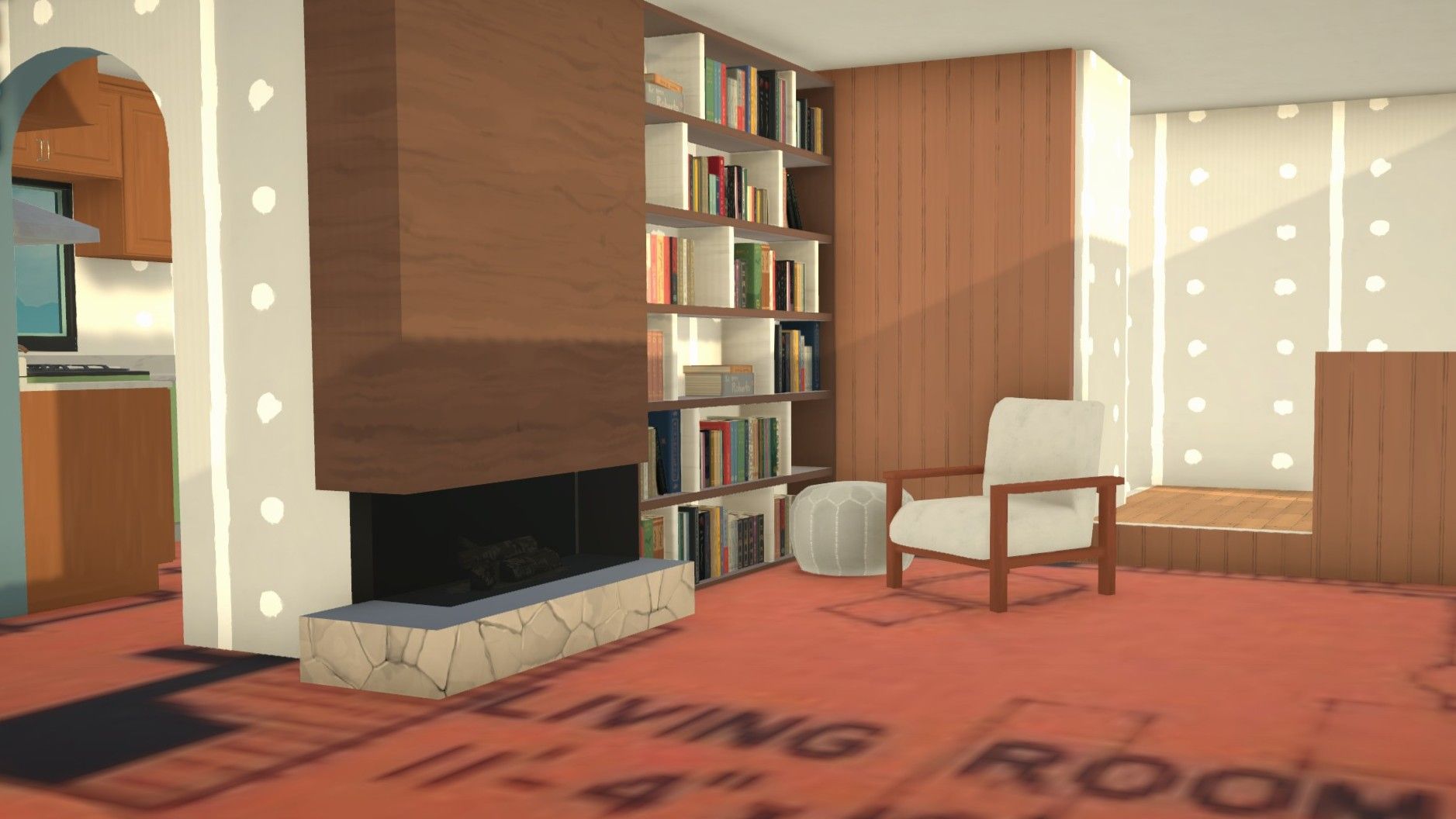
- Game: Paralives
- Platforms: PC, macOS
- Release Date: 2026-05-25
- Genre: Simulation
Paralives, developed by Paralives Studio, offers players the best settings to replicate real-world architecture through its gridless building system. By utilizing custom rug blueprints, users can import floor plans directly into the game to create accurate home designs. This guide provides a walkthrough for achieving precise architectural layouts on PC, ensuring you have the optimized settings necessary for a high FPS experience while building.
To begin importing your custom floor plans, follow these steps:
- Download the "Bunny's Customizable Rug" mod from the Steam Workshop.
- Save a high-resolution image of your desired floor plan to your PC.
- Open Build Mode in Paralives and search for the custom rug.
- Import your image into the rug's texture settings.
- Scale the rug using reference walls to match your blueprint's dimensions.
- Trace your walls with the grid disabled.
How to Import Custom Floor Plans in Paralives
Building in Paralives differs significantly from traditional life simulation titles because the game does not rely on a restrictive grid system. This allows for real-world measurements that make recreating specific house designs possible. Players often find that standard simulation games struggle with realistic dimensions, such as small closets or narrow hallways, but Paralives handles these scales accurately. By importing a real-life blueprint, you can ensure your virtual home matches the exact square footage of a physical structure.
To start, ensure your game is updated to the latest version as of May 2026. Access the Steam Workshop to find the required mod, which acts as the primary tool for custom image projection. Once the mod is installed, the process of bringing your designs into the game becomes a straightforward task of alignment and tracing.
How to Use Custom Rug Blueprints in Paralives
The core of this Paralives build mode guide for custom floor plans involves the custom rug object. Once you have located the rug in the Build Mode menu using the magnifying glass search function, you must click the image icon to access the texture settings. From here, use the "+" button to browse your local files and upload your blueprint. It is recommended to use an image that clearly shows room measurements, as this makes the scaling process much easier.
Once the image is placed, it will likely not match the game's scale by default. This is where the measurement tools come into play. You should check your game settings to ensure your units match the blueprint—either metric or imperial. Build two perpendicular walls in the game that match the specific length of a room shown on your blueprint. Use these walls as a physical ruler to resize the rug until the blueprint lines up perfectly with the game walls.
Optimized Settings for a High FPS Guide
For players seeking the best settings to maintain performance while building complex structures, it is important to manage your system resources. While the building tools in Paralives are designed to be efficient, importing high-resolution images can impact performance on lower-end hardware. Ensure your graphics drivers are up to date and consider lowering shadow quality if you experience frame drops while placing numerous custom objects.
We reported in our coverage of the launch that the game is optimized for both PC and macOS. For those focusing on building large-scale projects, keeping the grid toggled off is essential for precision, but it can also help reduce the number of calculations the engine performs during wall placement. Always verify that your display resolution matches your monitor's native setting to avoid unnecessary strain on your GPU.
Tracing Blueprints and Build Mode Tips
After scaling your rug, the final phase involves tracing the walls. With the grid turned off, you can draw walls directly over the blueprint displayed on the rug. This method allows for the creation of realistic 8'x11' bedrooms or narrow hallway closets that would otherwise be impossible to fit in grid-based systems. Once all walls and doors are placed, you can simply move the rug to a different area of the lot or delete it entirely.
This technique provides a level of architectural freedom that is unique to the current build of the game. By following these steps, you can translate nearly any floor plan into the game with high accuracy. For more tips on mastering the building tools, check out our guides for additional community-tested methods.
Frequently Asked Questions
Can you import real life blueprints into Paralives?
Yes, players can import real-life blueprints into Paralives by using a custom rug mod to display the image as a guide in Build Mode.
How do you trace house blueprints in Paralives?
To trace blueprints, import your image onto a custom rug, scale it by building two reference walls, and then draw your walls over the image with the grid turned off.
How do I change measurement units in Paralives?
You can switch between metric and imperial units of measurement by navigating to the settings menu in the game.